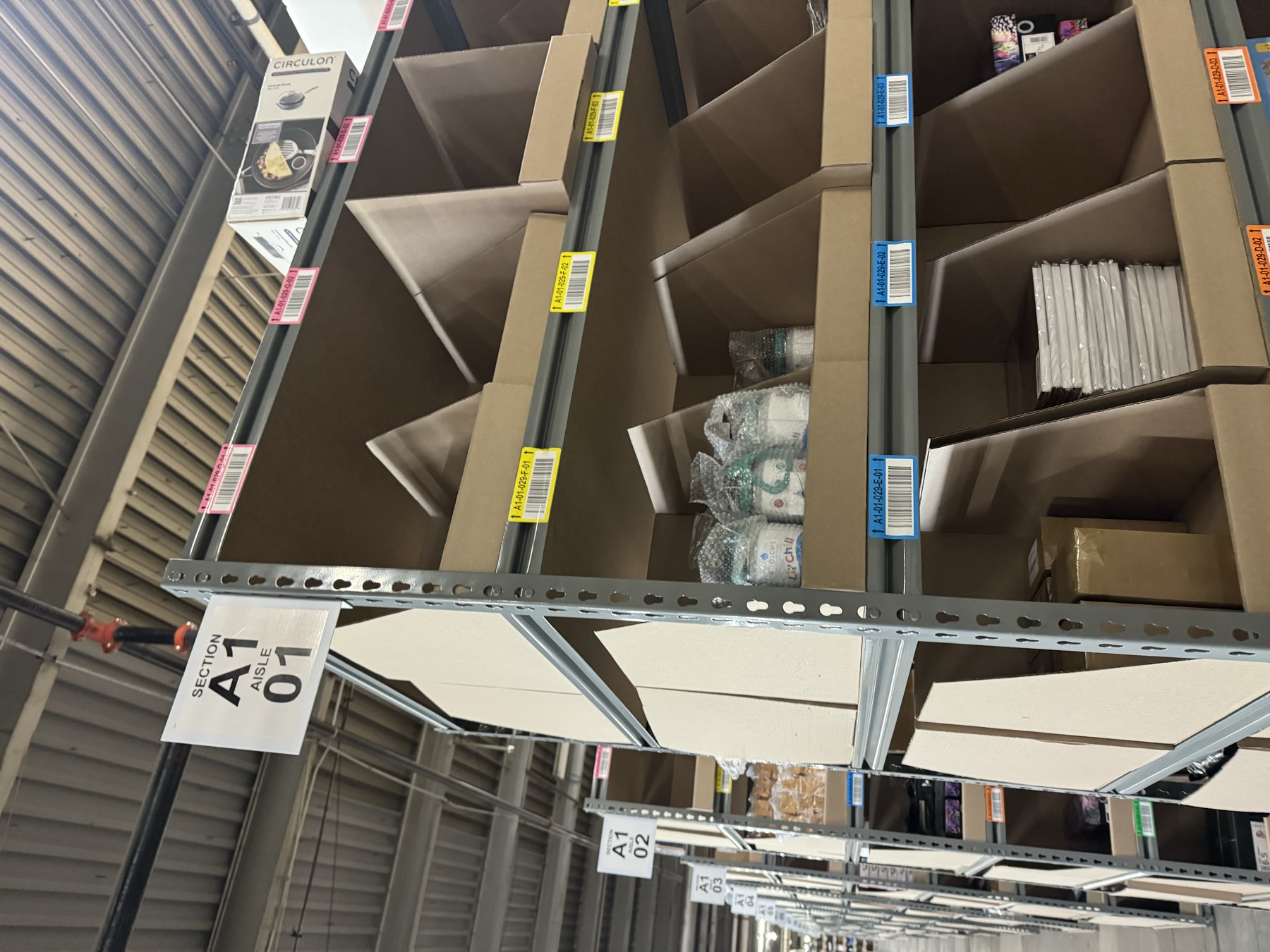
Replenishment problems have a way of looking like labor problems.
Pickers are waiting on SKUs to be replenished but the replenishment queue keeps growing. The same high-volume aisles are running dry. By the end of the shift, supervisors are moving people around just to keep outbound moving.
When replenishment falls behind pick rate, the usual response is to add another operator.
Sometimes that's what the operation needs. But in many operations, the replenishment team is working the entire shift and still can't keep up. Another person helps for a while, and then the same locations start running dry again.
The constraint was what they were being asked to replenish, how often they had to do it, and when the WMS was sending them there.
What Replenishment Falling Behind Actually Looks Like
Most forward pick replenishment is driven by some version of min/max or demand-based replenishment.
With min/max, the WMS creates a move when inventory in the pick face falls below a set quantity. With demand replenishment, the system looks at upcoming order demand and tries to get enough inventory into the forward location before picking starts.
Neither approach is particularly complicated.
The problem shows up when the replenishment task finishes after the inventory was actually needed.
A picker gets to the location and the product isn't there. They skip the line, short the pick, wait, or move on and come back later. Meanwhile, replenishment may technically still be operating as the WMS was configured to operate.
That's why the replenishment task history is usually a better starting point than the labor plan.
Look at where the moves are going.
In many warehouses, the workload isn't evenly distributed across the forward pick area. A relatively small number of locations generates a disproportionate number of replenishment moves. Operators keep returning to the same aisle, the same slot, and often the same SKU.
That usually means something upstream has changed.
A SKU that once had four hours of inventory in its pick face may only have enough capacity for ninety minutes at today's volume. Nothing had to break for that to happen. Demand changed while the slot stayed the same.
It's the same issue you see with slotting strategy decay. Velocity changes over time, but the physical layout and WMS settings don't always change with it.
Research on forward pick areas reaches the same conclusion. The amount of each SKU stored in the forward pick area directly affects the replenishment work required to support that area. Smaller forward quantities mean more trips from reserve.
You can't completely labor your way around that relationship.
Sometimes You Really Do Need Another Replenisher
There are certainly situations where this is a staffing problem.
Volume may have surged while replenishment staffing stayed flat. A dedicated replenishment position may have disappeared and become something another operator handles between assignments. Peak volume may have increased outbound demand without a corresponding increase in restock labor.
Those problems don't need a sophisticated diagnosis. There is simply more work than the team has enough hours to complete.
The replenishment data usually looks different when that's happening.
Instead of the same handful of locations constantly creating problems, late moves are spread across a much larger portion of the building. Task completion times are reasonable. Operators aren't spending the shift bouncing back to twenty problem slots. There is just too much total work sitting in the queue.
That's when adding labor makes sense.
However, putting another person on a poorly configured replenishment process can make the operation look better without fixing it.
When the Task Log Points Somewhere Else
A configuration problem tends to leave a different fingerprint.
You might have thousands of forward pick locations, but twenty or thirty of them are getting replenished over and over again. Some generate another task an hour after the last one was completed.
That should get your attention.
Start with the min and max settings.
Many of those values were established during implementation using forecasts, initial SKU profiles, or early order history. They may have been reasonable at go-live.
Six or twelve months later, the SKU's demand could have doubled.
If the maximum quantity in the forward location can't support the demand hitting that slot between replenishment opportunities, the location is going to run dry. The operator can refill it perfectly and still be back an hour later.
Some WMS platforms let you update min and max values through an API, which we often recommend where volume is climbing and the forward area is tight. A few emerging WMSs will even calculate and set recommended replenishment points for you.
If your platform doesn't support that, the manual version still works. Review the min and max on the busiest forward locations against current demand at least once a month. Optichain Advisors can help run that review against a client's replenishment and wave data and flag the replenishment configurations that no longer fit.
The same thing can happen when the pick face doesn't hold enough inventory to support a large outbound wave.
That's where wave release timing becomes important.
Suppose a fast-moving SKU averages 60 units per hour across the day. A replenishment plan built around that average might look fine.
But averages don't pick orders.
If a large wave releases 150 units of demand against that SKU and most of those picks hit the same forward location within twenty minutes, the slot can empty long before the replenishment plan expects it to.
At that point, the replenishment operator isn't moving too slowly.
The demand is arriving faster than the pick face was designed to absorb it.
What Happens When You Keep Treating It as a Labor Problem
The obvious cost of poor replenishment is wasted travel.
A picker gets to an empty face, skips the line, continues the assignment, and may have to come back later. Multiply that by several operators across several waves and the extra travel starts adding up.
But the operational impact doesn't stop with walking.
Empty pick faces create short-pick exceptions. They create additional investigation. They can create inventory adjustments when operators interpret the problem as an inventory discrepancy instead of a timing issue.
They also tend to become more painful later in the day.
The final waves are usually operating with less recovery time. Carrier cutoff isn't moving because replenishment is behind. A problem that was manageable at 10:00 a.m. can become overtime at 5:00 p.m.
Then the operation comes back the next morning and does it again.
Same SKU. Same slot. Same replenishment task.
That's usually the clue that another person isn't the first thing you should be fixing.
How to Read the Replenishment Task History
Start simple.
Pull 30 to 60 days of replenishment task history and rank your forward pick locations by the number of replenishment moves.
Don't look at averages first. Look at concentration.
How many locations are creating a large share of the work?
If a small group clearly stands out, take those locations and compare four things.
- Replenishment frequency
- Forward location capacity
- SKU demand by wave or release period
- Current min/max settings
The relationship between those numbers usually tells you much more than the total task count.
If a slot holds 80 units and regularly receives 120 units of demand in a wave, you already know what is going to happen. The slot physically can't support the release without another replenishment occurring in the middle of picking.
Then look at timing.
If replenishment tasks consistently appear shortly after wave release, that's another useful signal. Demand may be arriving in bursts that the current replenishment cadence wasn't designed to support.
If tasks are late everywhere, that's different.
If they're late primarily on the same small group of locations, those locations are worth investigating before adding labor.
Replenishment Log Decoder
Four patterns and what each one might be telling you
Different replenishment problems can look identical from the pick aisle. The task history helps separate a labor problem from a configuration problem.
Several very different problems can all look like "replenishment is behind" from the floor. Only some of them are solved by adding people.
Replenishment Frequency Is Really Feedback From Your Slotting
Replenishment history is one of those WMS datasets that tells you more than it appears to.
It's not just a record of pallet and case movements. It's feedback on the design of your forward pick area.
When the same location needs to be replenished every hour, the system is telling you that the relationship between demand and forward capacity has changed.
Maybe the SKU needs a larger slot. Maybe its min/max settings haven't been touched since implementation. Maybe it belongs in a completely different velocity class now. Maybe the wave structure is pushing three hours of demand into twenty minutes.
Those are different problems, but none of them start with headcount.
Fix the worst offenders first. Retune the locations where the settings no longer make sense. Resize or re-slot SKUs that have clearly outgrown their pick faces. Look at wave behavior where demand is hitting forward inventory in concentrated bursts.
Then measure the replenishment work that's left.
If the team still doesn't have enough capacity to complete it, add labor. At least then you're staffing the work the warehouse actually needs instead of paying someone else to keep running back to the same undersized slot.